
Smarter Benefits
at Your Fingertips
Our redesigned mobile app puts your benefits front and center—making it easier than ever to manage your account and your Benefits Card in real time.


A Dashboard Designed for Real Life
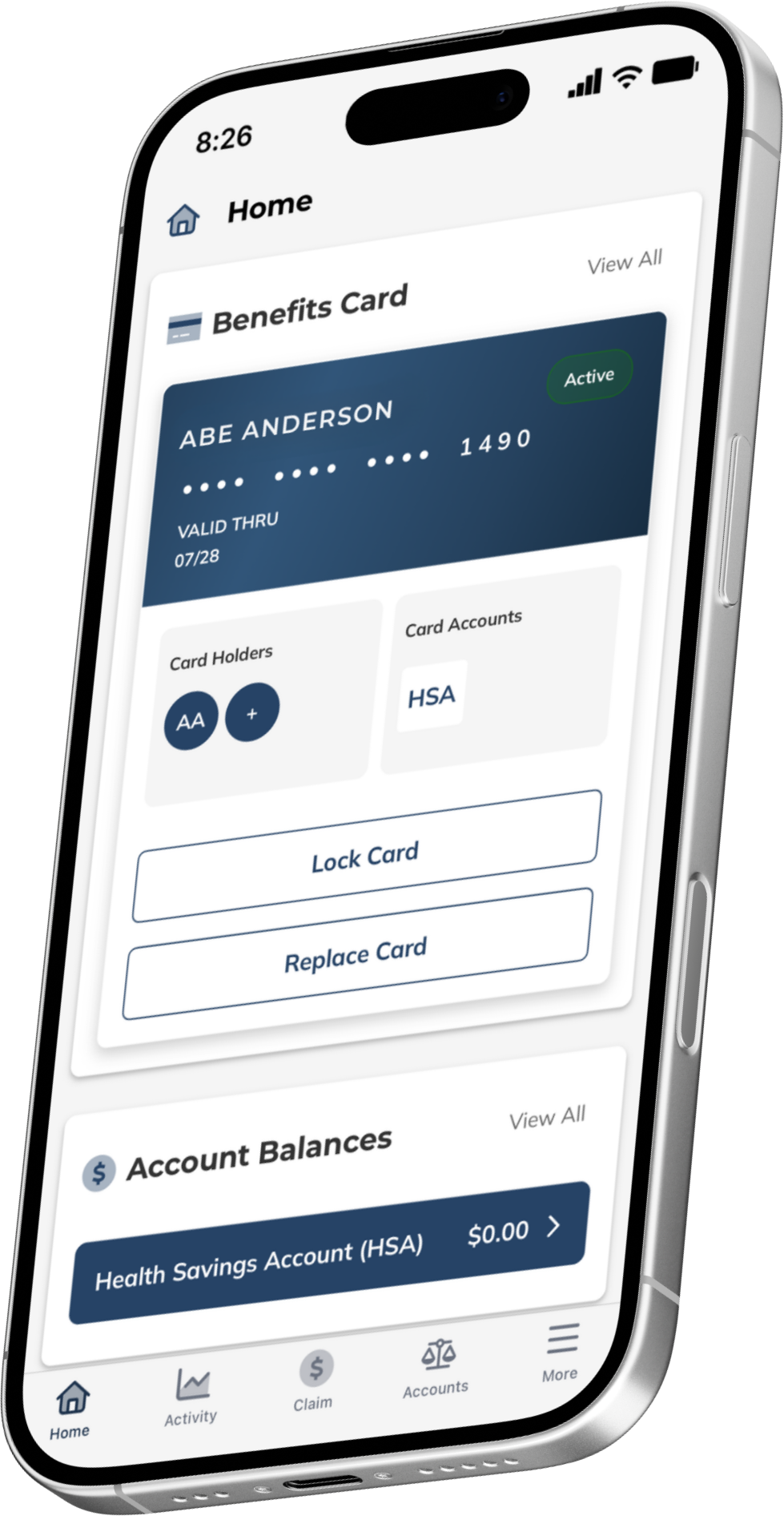
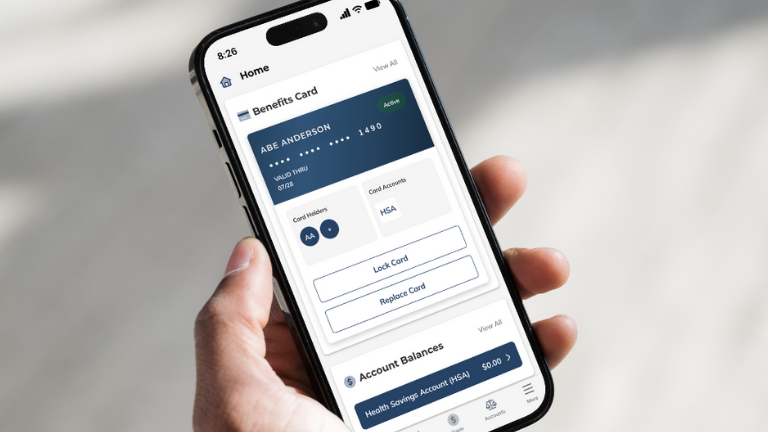
The EBCentral app opens to a clean, intuitive dashboard that keeps essential tools within reach:
- Account summaries and recent activity
- Benefits Card status and controls
- Quick actions like submitting receipts or viewing documentation requests
Whether you're checking your balance or responding to a notification, the app is built for fast, frictionless navigation.
Card Management, Simplified
Your Benefits Card* is the first—and most important—feature for any carded account:
- Lock or unlock your card instantly with a single tap
- Close your card immediately and replace it if it’s lost or stolen
- Request additional cards for eligible dependents
- View recent transaction history and card status right from the dashboard
Whether you're securing your card, replacing it, or managing multiple accounts, EBCentral gives you the control you need, when you need it.
Card Management, Simplified
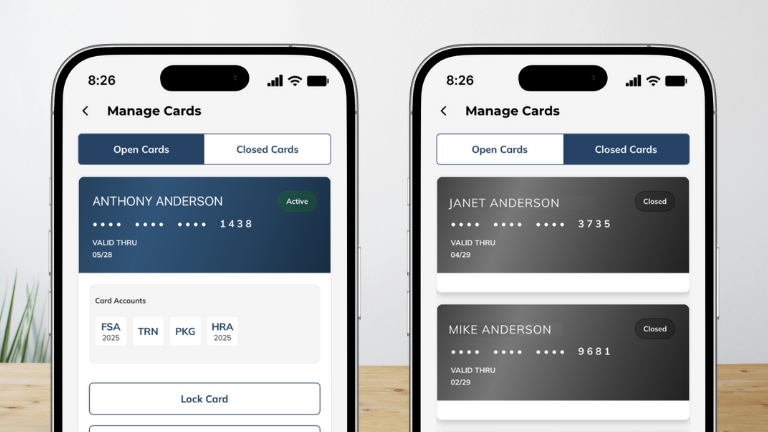
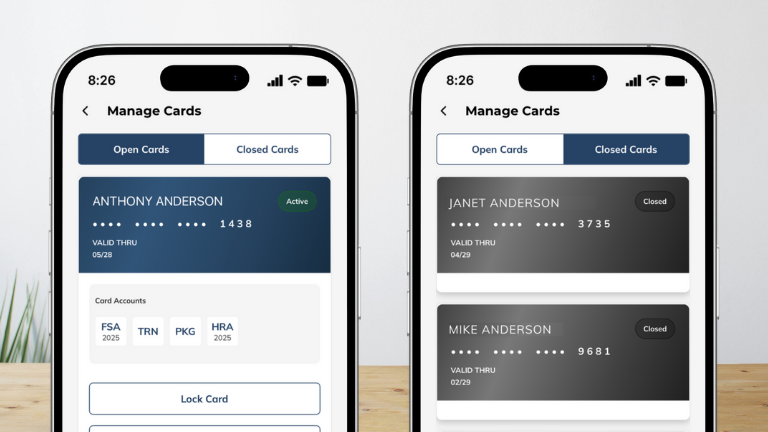
Your Benefits Card* is the first—and most important—feature for any carded account:
- Lock or unlock your card instantly with a single tap
- Close your card immediately and replace it if it’s lost or stolen
- Request additional cards for eligible dependents
- View recent transaction history and card status right from the dashboard
Whether you're securing your card, replacing it, or managing multiple accounts, EBCentral gives you the control you need, when you need it.
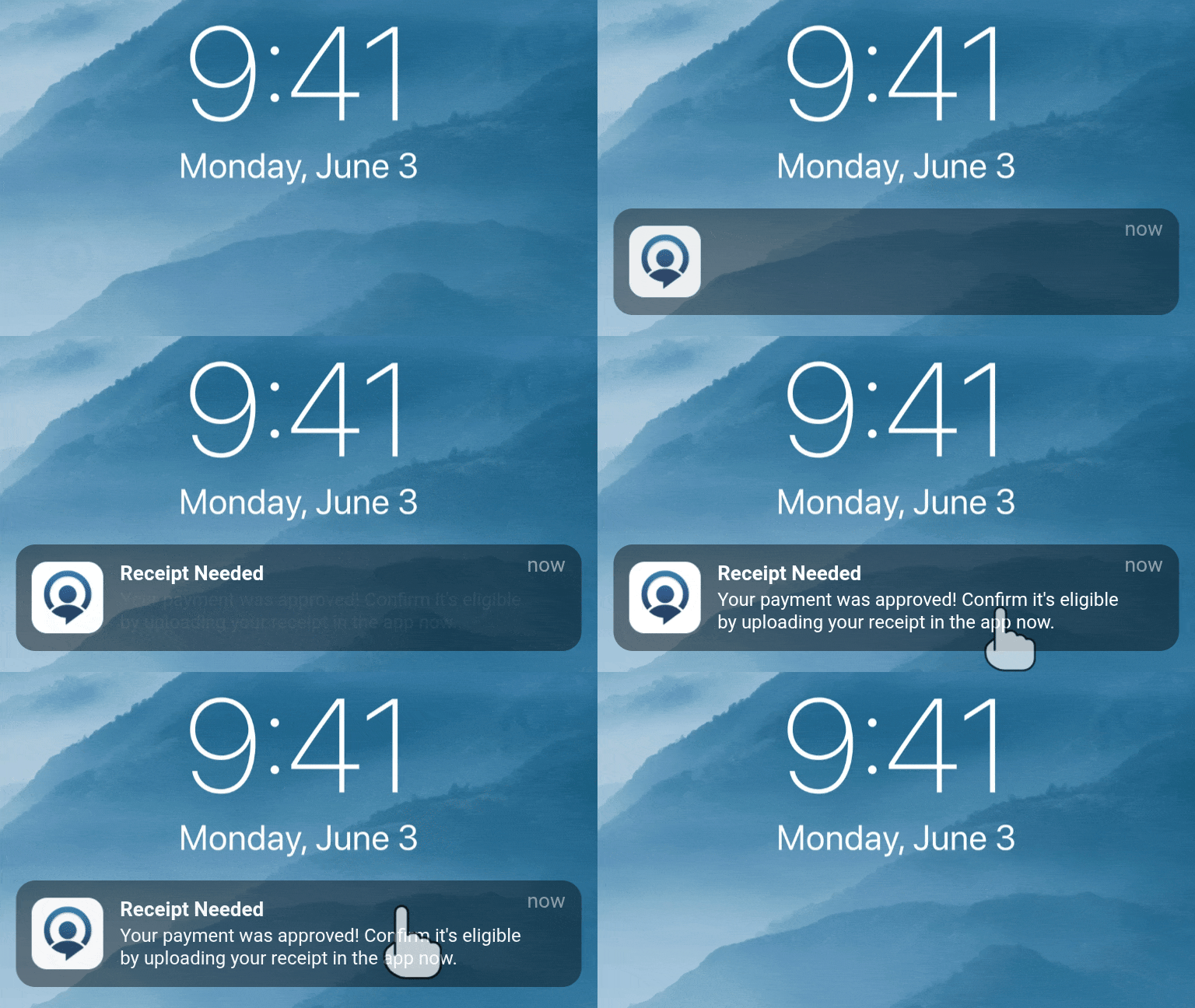
Peace of Mind at the Point of Sale
Using your Benefits Card should be simple—and it is.
- When you make a purchase, you receive an instant push notification confirming your card was used.
- If documentation is expected, the notification tells you immediately—no guesswork, no delays.
- Tap the notification to submit your receipt in seconds.
- Receive immediate feedback: whether your receipt is good to go or needs a quick fix before submission.
- Real-time notifications also help you stay alert to any unexpected activity—giving you added confidence and control over your account.

How to Download EBCentral
To access your benefits anytime, anywhere:
Download
Download the app on the App Store® or Google Play.
Register
Register your account or log in using your credentials.
Enable Notifications
Be sure to enable notifications so you receive real-time updates on card activity and documentation requests.
EBCentral is your go-to tool for managing benefits with speed, clarity, and confidence.
Built for What's Next
EBCentral is designed to meet modern expectations—fast, intuitive, and built around how people actually use their benefits. It’s part of our commitment to delivering technology when you need it, people when it matters.
As your needs evolve, so will EBCentral—bringing you smarter tools and clearer experiences, without compromising the human support you trust.

Frequently Asked Questions (FAQ)
What is EBCentral?
EBCentral is EBC’s mobile app, offering smarter tools and real-time support for managing your benefits. EBCentral is available on the App Store® and Google Play.
How do I get real-time Benefits Card notifications?
Simply use your Benefits Card as usual. EBCentral will instantly notify you of the transaction status and any next steps. To ensure you receive alerts, make sure notifications are enabled for the app in your device settings.
Can I manage my Benefits Card in the app?
Yes. EBCentral gives you full control over your Benefits Card. You can lock or unlock it, replace it if it’s lost or stolen, request additional cards for eligible dependents, and view your transaction history—all from the dashboard.
How do I submit a claim through EBCentral?
From the bottom navigation bar, tap the Claim option. Follow the guided steps to enter your claim details, upload supporting documentation, and submit for review.
How do I submit documentation through EBCentral?
Once you log into the mobile app—either right after a real-time notification or later—any transaction needing additional documentation will appear in your activity list with an Action Required badge.
Tap the transaction, follow the on-screen prompts to upload your receipt or other documentation, and confirm your submission. After you upload your receipt, you have the option to have AI instantly check whether the image is clear and readable and confirms that all required details are present for expense validation. You’ll get immediate feedback so you can fix any issues on the spot—helping prevent delays and reducing back‑and‑forth about missing or unclear documentation.
You can check back anytime in the app to make sure your submission has been received, and no further action is needed.
Tip: Turn on notifications to get instant alerts when documentation is needed.
Is EBCentral secure?
Yes. EBCentral uses secure cloud technology and follows strict data protection standards to keep your information safe.
Which devices and operating systems does EBCentral support?
EBCentral supports iOS 16+ or later and Android 10+ or later on most modern smartphones and tablets. Devices with older operating system versions may run into issues or be unable to download future updates of the mobile app.
Does EBCentral work on tablets?
Yes. EBCentral is available on tablets that run the supporting operating systems. This includes Apple® devices and Android-powered tablets.
Do I need the latest app version?
We recommend it. Turn on automatic updates in your device’s app store so you always have the newest features and security improvements.
Can I use biometric sign-in?
Yes. After successful log in and verifying your device via two-factor authentication, you may enable biometric sign-in in the app’s security settings.
Is there a web version if my device isn’t supported?
Yes. You can access your account from www.ebcflex.com. Some mobile-only features (like push notifications) won’t be available.
I’m not receiving notifications. What should I check?
If you’re not receiving notification, take the following steps:
- Confirm notifications are enabled in device settings
- Make sure you’re on the latest app version
- Check Focus/Do Not Disturb modes
- Open the app once after updating (resets the token)
If it still doesn’t work, contact us through the app.
Which file types can I upload for receipts?
Take a photo directly in the app using your device’s camera, or upload a JPEG, PNG, or PDF from your device’s library or files. Just keep files clear and under 10 MB.
*Not all benefit accounts include a Benefits Card. Availability depends on your specific plan and account type.